Study Tree live · Hermes catalog · Hermes plugin hackathon 2026
A Hermes Agent plugin for studying with an agent: side questions branch into their own threads, then get the extra context back to the main topic.
Overview
Don't you ever go down AI-fueled rabbit holes? You ask why a second is a second and end up in a chat full of physics, history and even philosophy, and your evening is gone. The problem is that a chat only goes in a straight line. Chase a side quest and you lose the main thread. Open a new chat instead and you start from zero.
I wanted to fork the conversation: go down one path, learn whatever random thing I was curious about, and come back to the main question with what I found. So I built Study Tree, a plugin for Hermes Agent, Nous Research's open-source agent, as my entry to their plugin hackathon in November 2026.
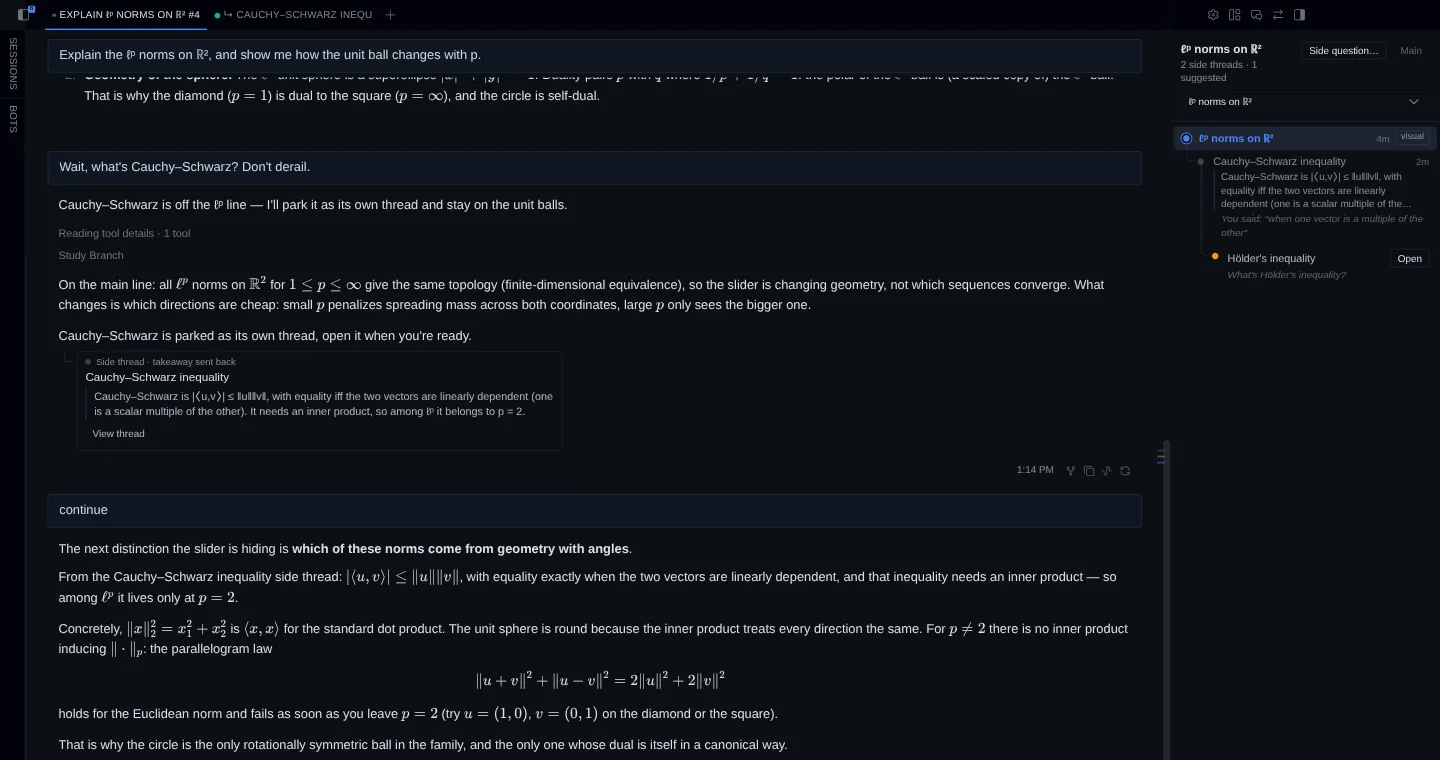
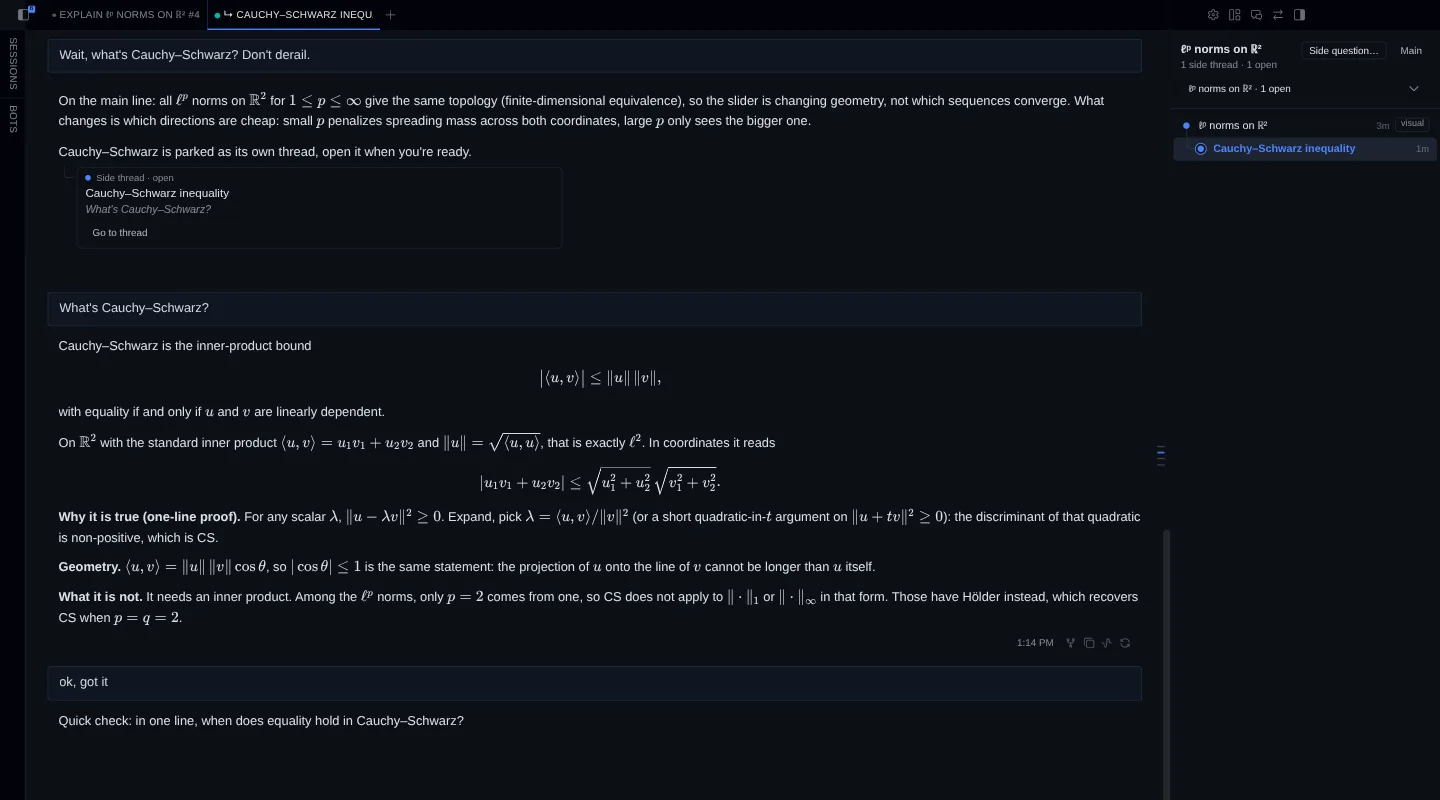
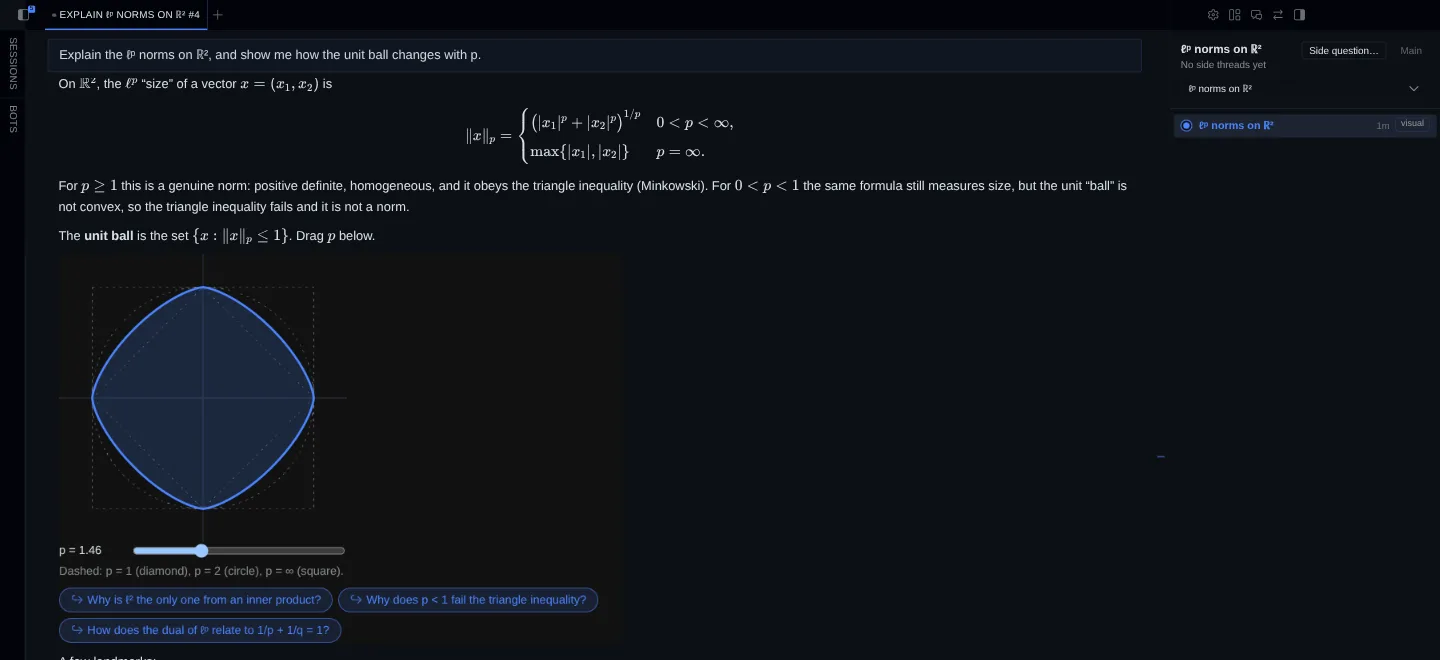
Ask something off-topic and the agent finishes what it was explaining, then parks your question as a card. One click opens it as its own thread, carrying the context of the main chat. When you say "got it", the agent asks you one question to check, sends a one-line takeaway back to the main thread, and you carry on with the original topic. A side pane draws the whole tree, side quests of side quests included. Ask the agent to show you an idea and it draws an interactive widget right in the chat.
It's open source and listed in the official Hermes plugin catalog, so anyone on Hermes Desktop can install it by name. The rule I built it on: the agent proposes, your click does. It never forks a session on its own. It shows a card, and the branch happens only when you open it.
Key features
- Side questions get their own thread
- The agent answers the main topic in full, then branches at most once per reply, and only when you ask. Open creates a branched session named after the topic, as a tab beside the main chat.
- A takeaway you've proven
- Saying "got it" gets you one recall question. A right answer becomes the takeaway, with your own words kept under it; a wrong one gets a one-line correction first.
- The tree beside the chat
- A Desktop pane shows every thread with its status and takeaway, and exports the resolved ones as a Markdown glossary for Obsidian or anywhere else.
- Widgets and quizzes in the chat
- Interactive widgets the agent writes as sandboxed HTML with no network access, follow-up buttons under each one, and one-question quizzes on the current topic.